July 08, 2026
A knowledge base is a centralized digital information hub where customers and service teams can quickly find answers to questions, troubleshoot issues, and access helpful resources.
What is the Salesforce Knowledge Base in Service Cloud?
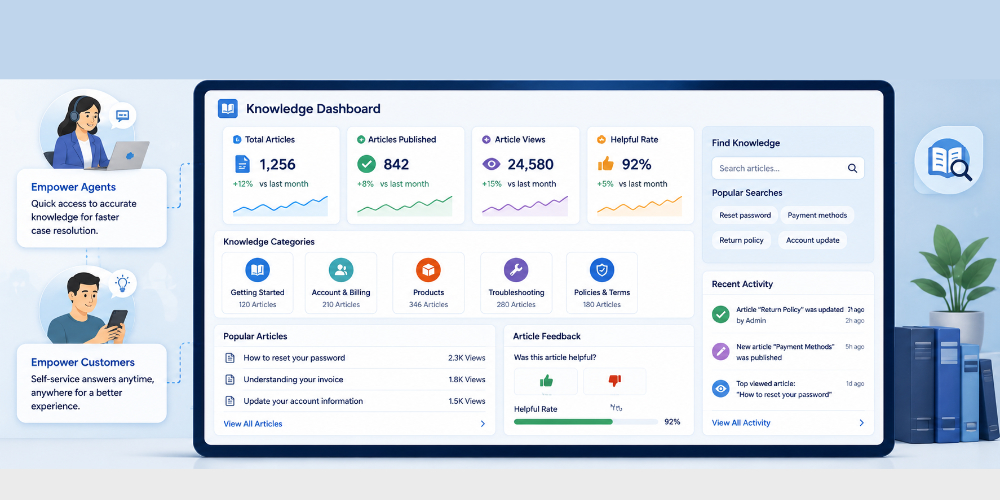
The Salesforce Knowledge Base in Service Cloud is a native information hub used to create, organize, and publish articles for customer self-service and agent support.
Salesforce Knowledge gives you the ability to build out a comprehensive Knowledge Base (KB) inside of Salesforce – a collection of articles with relevant information about your products and services, to encourage a self-service model for your customers to solve their own queries. support costs, speed up response times, and feed accurate data to AI tools.
Schedule a Demo with Tejas team to learn more
How do agents access knowledge articles during case resolution?
Agents access knowledge articles during case resolution through
- Integrated side panels or help tab next to active case details.
- Automated AI recommendations, Systems analyze case text and suggest exact troubleshooting steps or link citations.
- Agents type keywords into a knowledge search bar, then link or insert article content directly into customer emails and chats.
How do you build a self-service customer portal with Service Cloud?
Building a self-service customer portal with Service Cloud involves enabling digital experiences, setting up a template site, and configuring access.
Use the core steps of enabling Digital Experiences, choosing a template, and mapping data.
Using the Experience Builder, we can change colors, logos, and page layouts. The agents can add components for Knowledge Base search and Case Submission forms. Connect the portal to internal Service Cloud data so customers view real-time case progress and shared articles.
With a prebuilt service agent designed for customers, the agents can boost CSAT.
How are knowledge articles created, reviewed, and published?
Knowledge articles in Salesforce Service Cloud are managed through creation, review, and publishing phases using a structured version-controlled lifecycle.
The core steps involve purchase licenses for the power users on your team, authoring drafts, routing through approval processes, and publishing for user visibility.
Click on the Salesforce Guide to learn more.
Set Up Knowledge with Salesforce Go Agents can now save time by using Salesforce Go to set up Knowledgebase. Salesforce Go automatically turns on Knowledge, assigns licenses to article authors, and sets up initial data groups and categories.
This setup is critical because accurate data groups and categories are essential for generative AI tools.
What analytics track knowledge base usage and article effectiveness?
Salesforce tracks knowledge base usage and article effectiveness using Native tools like the Knowledge Effectiveness Dashboard, Search Activity Reports, and the Knowledge Article View Stat object.
Usage and Engagement Metrics
- Article Views (KnowledgeArticleViewStat): Measures total and unique views broken down by channels such as internal apps, public portals, or partner portals.
- AI Grounding & Direct Views: Logs how often an article is read directly by a user or used by generative AI/Agentforce to ground a response.
- Search Analytics: Tracks daily user queries, percentage of searches with or without results, and most-interacted search terms.
- Average Click Rank: Shows the relative search relevance position where users actually click an article after typing a query.
How does a knowledge base reduce support ticket volume?
A Salesforce Knowledge base reduces support ticket volume by enabling customer self-service, powering real-time case deflection, and equipping agents to solve issues faster.
It turns common questions into reusable digital guides.
Customer Self-Service and Deflection:
- 24/7 Access: Publishes FAQs and guides on public help portals so users fix problems anytime without opening a case.
- Case Deflection: Suggests relevant troubleshooting articles automatically while a user types their issue into a web form before the ticket is submitted.
- AI Bots: Feeds AI tools like Agentforce with verified text so bots can autonomously resolve routine chats and inquiries
Ref: help.salesforce.com/s/articleid=000387794...
FAQs
How does a knowledge base work?
By providing a single source of truth, a knowledge base lets users access accurate and up-to-date information, reducing the complexity and improving the efficiency of information management.
How to create a knowledge base?
- Step 1: Review your customer service data
- Step 2: Determine a content plan and organizational structure
- Step 3: Choose the right topics for your knowledge base
- Step 4: Outline a technology plan
- Step 5: Implement the right analytics
- Step 6: Focus on continuous improvement
Can a knowledge base improve customer satisfaction?
Yes, a knowledge base can significantly improve customer satisfaction by providing customers with easy access to relevant information, enabling them to resolve issues quickly and independently. By offering a comprehensive knowledge base, businesses can reduce customer frustration, improve response times, and enhance overall customer experience.